 Skip to content
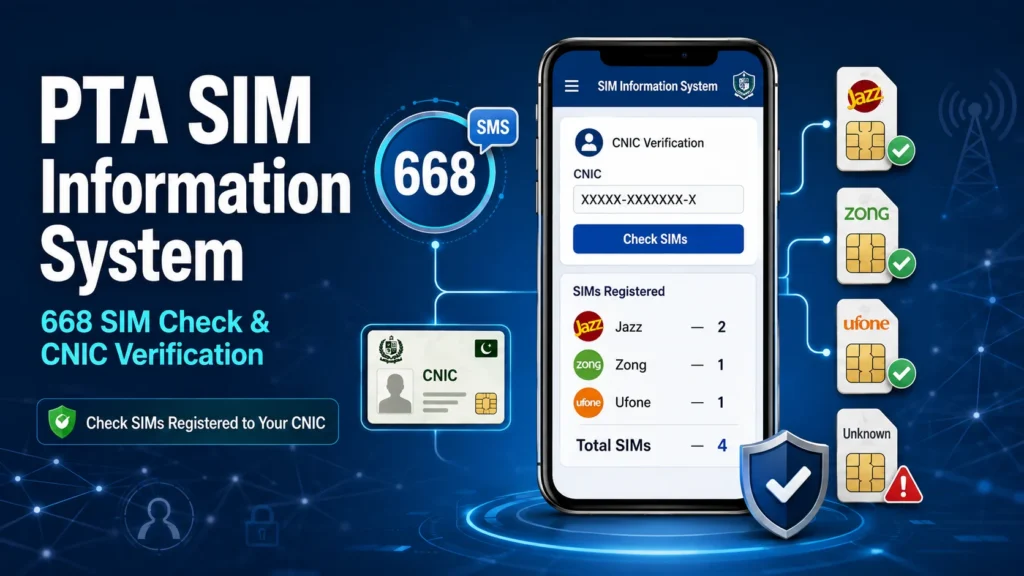
If you want to know how many SIM cards are registered against your CNIC, the PTA SIM Information System is the main place to start. The system is built around your identity record rather than a public search of other people’s mobile numbers.
You can use the SIM Information System through the online checking system or the 668 SMS service. I would use it mainly to check my own SIM registrations and make sure there are no connections I do not recognize.
Quick Answer
The PTA SIM Information System lets you check the number of SIMs registered against your CNIC. The 668 service is the SMS method: you send your 13-digit CNIC number without dashes to 668 and receive information about SIM registrations linked to your identity. The online system provides a web-based way to check the same type of registration information.
What Is the PTA SIM Information System?
The PTA SIM Information System is a SIM registration checking system in Pakistan. Its main purpose is to help a person see how many mobile SIMs are registered against their CNIC.
The system was introduced in 2009 as SIM Information System – 668. The original service allowed mobile users to check the number of SIM connections registered against their CNIC with different mobile operators.
Today, the system is commonly associated with two ways of checking SIM registration:
- Online SIM Information System
- SMS 668 SIM check
The important point is that this is an identity-based registration check. It should not be confused with a public database where anyone can enter a stranger’s phone number and retrieve private subscriber information.
What Is 668 in Pakistan?

668 is the short code used for the SIM Information System’s SMS checking service.
The basic idea is simple:
Your CNIC → 668 → SIM registration result
The service was created so subscribers could find out how many SIMs were registered against their CNIC with mobile operators. Historical records describe the service as a way to obtain the count of connections associated with a user’s CNIC.
If I wanted to check my own SIM registrations without opening a website, the SMS method would be the straightforward option.
How Does the SIM Information System Work?
The system connects a user’s identity information with SIM registration records.
When you submit your CNIC through an available checking method, the system checks the SIM registrations associated with that identity. The result can then show the number of registrations by mobile operator.
The basic process looks like this:
CNIC → SIM registration records → Network-wise count → Result
For example, a fictional result could look like this:
| Mobile network | SIM count |
| Network A | 1 |
| Network B | 2 |
| Network C | 0 |
| Network D | 1 |
| Total | 4 |
This is only an example. The actual result depends on the SIM registrations associated with the CNIC being checked.
The current online system also separates SIM results into categories such as Voice + Data SIMs, Data Only SIMs, and total SIMs.
How to Check SIM Information Through 668
The 668 method is useful if you want to check your SIM registrations through SMS.
Step 1: Open your SMS app
Open the normal messaging application on your mobile phone.
You do not need WhatsApp or another messaging service. This process uses SMS.
Step 2: Enter your CNIC number
Type your 13-digit CNIC number.
For the SMS method, enter the number without dashes or spaces.
For example:
1234512345671
Use your own CNIC number rather than the example above.
Step 3: Send the CNIC to 668
Send the CNIC number to:
668
The system processes the request and returns the available SIM registration information.
Step 4: Review the result
The response can tell you how many SIMs are associated with your CNIC, generally grouped by mobile operator.
I recommend checking the total rather than assuming that every SIM shown is one you currently use. An unexpected registration should be investigated through the proper mobile operator channel.
How to Check the SIM Information System Online

You can also use the online SIM Information System rather than sending an SMS.
The current web system provides a CNIC-based checking option. You enter the required identity information and submit the request to view the SIM registration count. The system also provides a separate option for Foreign ID users.
The online process can be summarized as:
- Open the SIM Information System.
- Select the appropriate identity type.
- Enter your CNIC or required identity information.
- Complete the verification step shown on the page.
- Submit the request.
- Review the SIM registration results.
For a detailed step-by-step guide focused only on the online process, see our article on how to check SIM registration online.
What Information Does the PTA SIM Information System Show?

The main purpose of the SIM Information System is to show SIM registrations associated with your identity.
Depending on the checking method and result format, you may see information such as:
- Number of registered SIMs
- Mobile network associated with the registrations
- Total SIM count
- Different SIM categories in the online result
The online system currently displays network-wise SIM information and separates certain SIM categories in its result.
The important thing to remember is that the system is primarily about SIM registration records, not a general-purpose personal information search.
What Does the 668 SIM Check Not Show?

This is where many SIM-related websites create confusion.
A SIM registration check should not be treated as a public tool for finding someone’s private information from their phone number.
| Information | Public 668 SIM check |
| SIMs registered against your CNIC | Yes |
| Network-wise SIM count | Yes |
| Total registered SIM count | Yes |
| Another person’s private CNIC | No |
| Another person’s private address | No |
| Private call history | No |
| Private SMS messages | No |
| Live phone location | No |
| WhatsApp messages | No |
| General phone-number owner database | No |
If a website claims that you can enter any mobile number and instantly receive someone’s complete CNIC, address, call history, or live location, I would avoid giving that site my personal information.
A SIM Information System is not the same thing as a public SIM database.
Can You Find SIM Owner Details by Mobile Number?
The public SIM Information System is not intended to provide another person’s private subscriber information simply because you know their mobile number.
This distinction matters because searches for SIM owner details, SIM number details, and SIM owner name can lead people to websites making claims that go far beyond the normal SIM registration check.
For your own records, the useful question is:
How many SIMs are registered against my CNIC?
That is different from:
Who is the private owner of this person’s mobile number?
I would keep those two searches separate.
PTA SIM Information System vs 668 SMS
The terms can sound like two different services, but they are closely connected.
The SIM Information System is the broader SIM registration checking system, while 668 refers to the SMS short code used to request the information.
Think of it this way:
SIM Information System = the checking system
668 = the SMS access method
The service was specifically launched so customers could get the count of SIMs registered against their CNIC by sending the CNIC to 668.
Online SIM Check vs 668 SMS
Both methods serve a similar basic purpose, but the experience is different.
| Feature | Online SIM Information System | SMS 668 |
| Method | Website | SMS |
| Main information | SIM registration count | SIM registration count |
| Main input | CNIC | CNIC |
| Internet needed | Yes | No |
| Result format | On-screen | SMS response |
| Useful for | People who prefer a browser | Quick phone-based checking |
I would choose the online method if I want to see the information on a larger screen. The SMS method is simpler if I only need a quick registration check from my phone.
What If the SIM Count Looks Wrong?
An unexpected SIM count does not automatically mean that someone has stolen your identity.
There can be several reasons for confusion, including old connections, registrations you have forgotten about, or records that need correction.
If the result shows a SIM you do not recognize, the sensible next step is to contact the relevant mobile operator and ask about the registration.
Do not try to solve the issue through an unofficial SIM database website.
If you need the complete process, see our guide on how to block an unauthorized SIM.
What Should You Do About an Unauthorized SIM?

If you find a SIM registered against your CNIC that you did not authorize, take the issue seriously.
A simple process is:
- Check the registration information.
- Identify the mobile operator involved.
- Contact the operator through an appropriate customer service channel.
- Explain that you do not recognize the SIM registration.
- Follow the operator’s process for correcting or removing the registration.
- Check your SIM registrations again afterward.
Historical guidance around the SIM Information System specifically provided a process for customers to report mismatched or extra SIMs to the relevant operator.
For the full removal and blocking process, keep that information on your dedicated How to Block an Unauthorized SIM page rather than repeating it here.
668 vs 667: Are They the Same?
No. 668 and 667 should not be treated as the same service.
The SIM Information System is associated with 668 for checking SIM registrations against a CNIC. Other short codes have been used for different SIM verification and mobile-number-related processes. Historical records list separate SIM information and verification projects using different short codes.
For this article, the important point is simple:
668 = SIM registration information linked to your CNIC.
If you are searching for information about another code, check its specific purpose instead of assuming that every SIM-related shortcode does the same thing.
Common PTA SIM Information System Mistakes
Entering the wrong CNIC
A single incorrect digit can give you the wrong result or cause the request to fail.
Check the number carefully before submitting it.
Adding dashes to an SMS request
For the 668 SMS method, use the required 13-digit CNIC format without dashes or spaces.
Expecting a complete SIM owner profile
The SIM Information System is not a public directory of people’s names, addresses, and other private information.
It is mainly used to check SIM registrations connected to an identity.
Confusing SIM information with IMEI information
A SIM identifies a subscriber connection, while an IMEI identifies a mobile device.
They are related to mobile use but are not the same thing.
If you want to check a phone’s IMEI or device status, you need a different service.
Using unofficial SIM database websites
Be careful with websites promising “live SIM data,” “SIM owner details by number,” or complete private profiles.
You may be asked to provide your CNIC or phone number without knowing what happens to that information.
I would use the recognized SIM checking process instead of entering sensitive identity information into an unknown website.
Assuming every registered SIM is currently active
A registration record and your current daily SIM use are not necessarily the same thing.
If you see something you do not recognize, investigate it instead of simply assuming the result is wrong.
Is the PTA SIM Information System Free?
The online SIM Information System can be used as a web-based checking option.
The SMS method may involve the normal charges associated with sending an SMS. Older official records documented a charge for the 668 SMS service, so I would not assume that an SMS request is always free.
Because telecom charges and service conditions can change, check the current terms available when you use the SMS method.
Why Should You Check SIMs Registered to Your CNIC?
A SIM registered under your identity can matter even if you are not using that number yourself.
Regularly checking your SIM registrations can help you spot something that needs attention.
For example, you may discover:
- An old SIM you forgot about
- A registration you no longer need
- An unfamiliar SIM
- A mismatch that needs to be corrected
I see the check as a simple identity-maintenance step. You do not need to obsess over it, but checking your registered SIMs from time to time is sensible.
How to Keep Your SIM Information Safe
A few simple habits can reduce unnecessary exposure of your identity information.
- Do not share your CNIC number with random websites.
- Avoid websites claiming to provide private SIM databases.
- Do not enter OTPs into unknown websites.
- Do not share SIM-related account information publicly.
- Use recognized channels for SIM registration problems.
- Check your own SIM registrations if you suspect an issue.
- Report an unknown registration instead of trying to investigate another person’s private information.
Your CNIC is much more sensitive than an ordinary search term, so I would treat any website requesting it with caution.
Final Takeaway
The PTA SIM Information System is mainly useful for one simple reason: it helps you check which SIM registrations are associated with your own CNIC.
You can use the online system or the 668 SMS method to check your registration count. I would focus on the result itself, investigate anything you do not recognize, and avoid websites that promise private SIM owner information from random phone numbers.
For most users, the key distinction is simple: 668 is for checking SIM registrations linked to your identity, not for accessing a public database of other people’s private information.
Frequently Asked Questions
What is the PTA SIM Information System?
The PTA SIM Information System is a system used to check SIM registrations associated with a person’s CNIC. The 668 SMS service is one way to access this information.
What is the 668 SIM check?
The 668 SIM check is an SMS-based method for checking the SIM registrations associated with your CNIC. You send the required CNIC information to 668 and receive a response.
Can I check SIMs registered to my CNIC online?
Yes. The SIM Information System provides an online checking option where you can submit your identity information and view the available registration result.
Does 668 show someone’s private address?
No. The SIM Information System should not be treated as a public tool for retrieving another person’s private address or other sensitive personal information.
Can I find a person’s name from their mobile number?
The public SIM registration checking system is not intended to work as a general public directory for finding another person’s private subscriber information from their mobile number.
What should I do if I see an unknown SIM on my CNIC?
Contact the relevant mobile operator and report the registration you do not recognize. Follow the operator’s process for correcting or removing it, then check your registrations again.
Is 668 the same as the online SIM Information System?
They are different access methods for SIM registration information. The online system works through a website, while 668 provides an SMS-based checking method.
Does the SIM Information System check IMEI?
No. SIM registration and IMEI are different types of information. SIM registration relates to a subscriber connection, while IMEI identifies a mobile device.